One Look for Six Games, a Continue Without a Countdown, and a Ticker That Stood Still
The browser games came to this site from two directions. GROUND.IO, INK.IO and PHASE.IO were built for the web, and they share one set of menus. ORBIT.IO, DODGE.IO and SPLIT.IO are line-by-line ports of their Android apps (I wrote about that in Porting Android Games to the Browser, Line by Line), so each one brought its app's menus along: three different layouts, three different game over screens, and three different ways of offering a continue. This week they joined the other three.
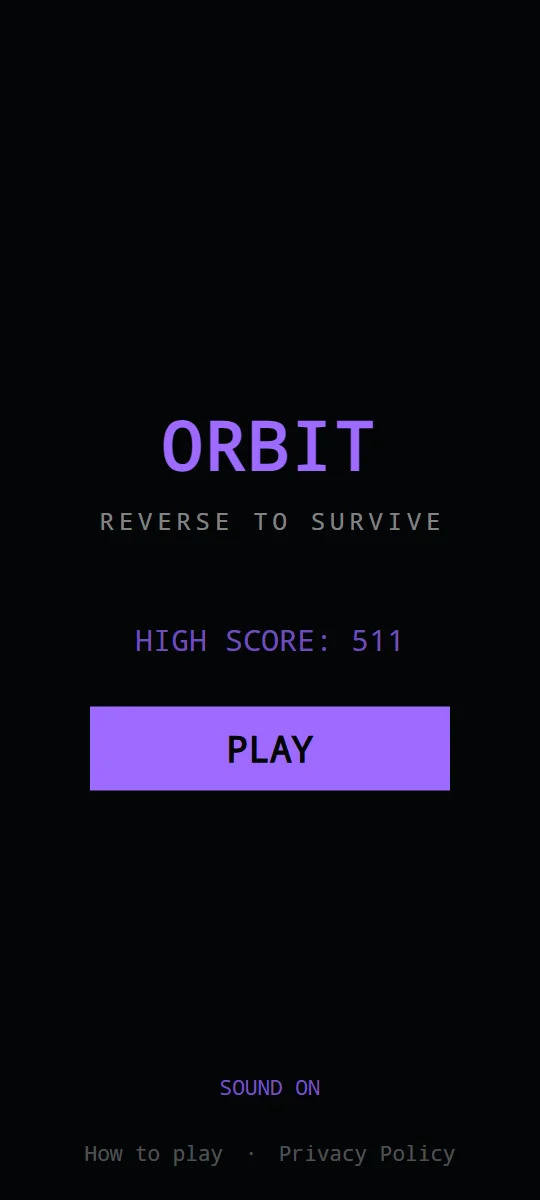
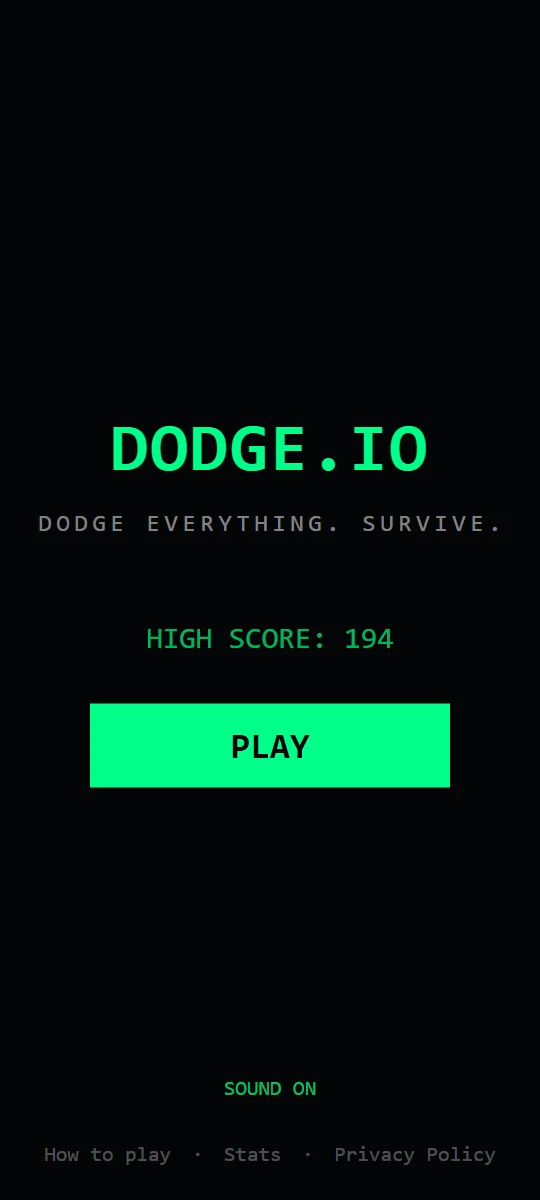
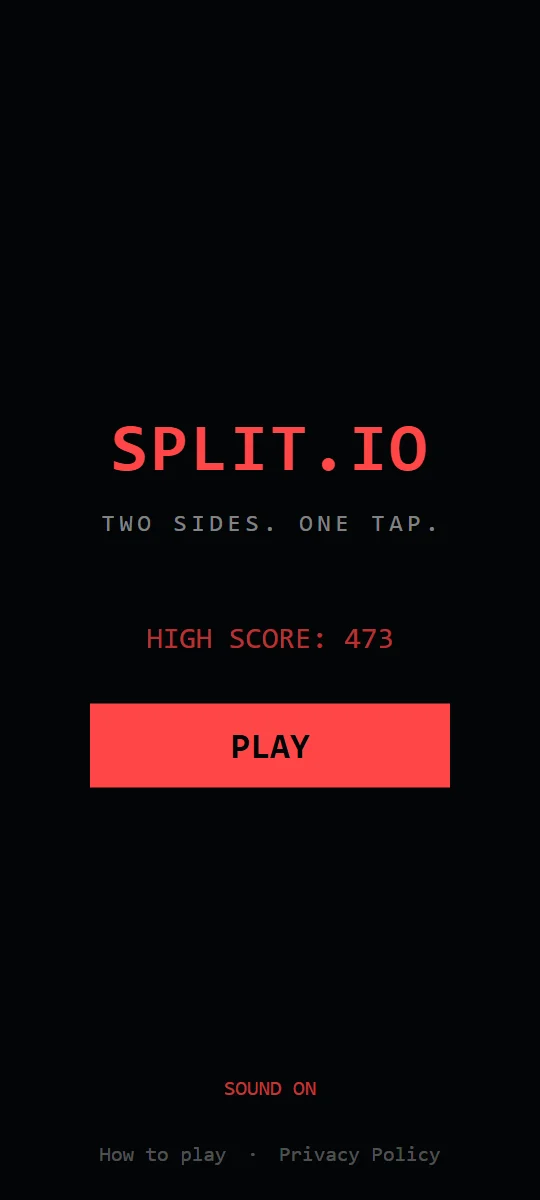
Recorded from the browser games.
One look for six games
GROUND.IO's screens were the ones I liked best, so they became the template. The menu is the game's name, a one-line tagline, your high score and one big square PLAY button, with the sound switch and the links to the guide and the privacy policy along the bottom. The game over screen says GAME OVER and what hit you, then your score, your best and a few numbers from the run, then your options. Each game keeps the color it got last week: ORBIT.IO purple, DODGE.IO green, SPLIT.IO red.
Matching meant taking a few things out, and adding a few details:
- DODGE.IO's menu used to list all eight threats and three power-ups. That list now lives in the DODGE.IO guide, one tap away through How to play. The Stats screen is still there, as a link at the bottom of the menu.
- SPLIT.IO's menu had two lines of rules and a field of slowly drifting dots behind it. The rules are in the SPLIT.IO guide, and the dots are gone.
- What hit you: ORBIT.IO and DODGE.IO now say what ended your run, the way GROUND.IO does: "HIT BY ORBIT MINE", "HIT BY BULLET". SPLIT.IO doesn't, because the game only knows that you lost a life, not which shape took it.
- Numbers: scores have commas (26,080, not 26080), and the run's time reads as minutes and seconds (1:11).
- A short pause: for the first 0.6 seconds after the game over screen appears, it ignores taps, so the tap you were already making when you died can't land on a button.
The first try came out too small
The first version of the new screens came out smaller than GROUND.IO's on my phone: about four-fifths the size, buttons and all. The ported games draw everything inside a fixed phone-shaped frame that scales to fit the browser window, which is how they stay faithful to the Android apps. My phone's browser window, with its address bar, is shorter than that frame, so the frame shrank, and the new screens shrank with it. GROUND.IO's screens don't scale: they use the window as it is. Now the menus and game over screens in all six games fill the window at the same fixed sizes, and only the game itself keeps the scaled frame.
The continue moves onto the game over screen
Last week I wrote about a continue in every game. In ORBIT.IO, DODGE.IO and SPLIT.IO it arrived as a prompt between dying and the game over screen, with a five-second countdown. GROUND.IO, INK.IO and PHASE.IO never had a prompt: the game over screen came up, and CONTINUE was its first button. That version works better, so now all six games do it that way.
- You see what you're continuing. Your score, your best and the run's numbers are right there while you decide.
- Nothing counts down. A timer pushes you to tap before you've thought about it. There's no reason to rush this decision.
The rules haven't changed: one continue per run, your score and time carry on, and a second death ends the run for real. If you pick PLAY AGAIN or MENU instead, the continue goes away with the run. It's still free. DON'T SQUISH BOB keeps its "One more breath?" prompt, because Bob is a different kind of game and its screens were never meant to match the others.
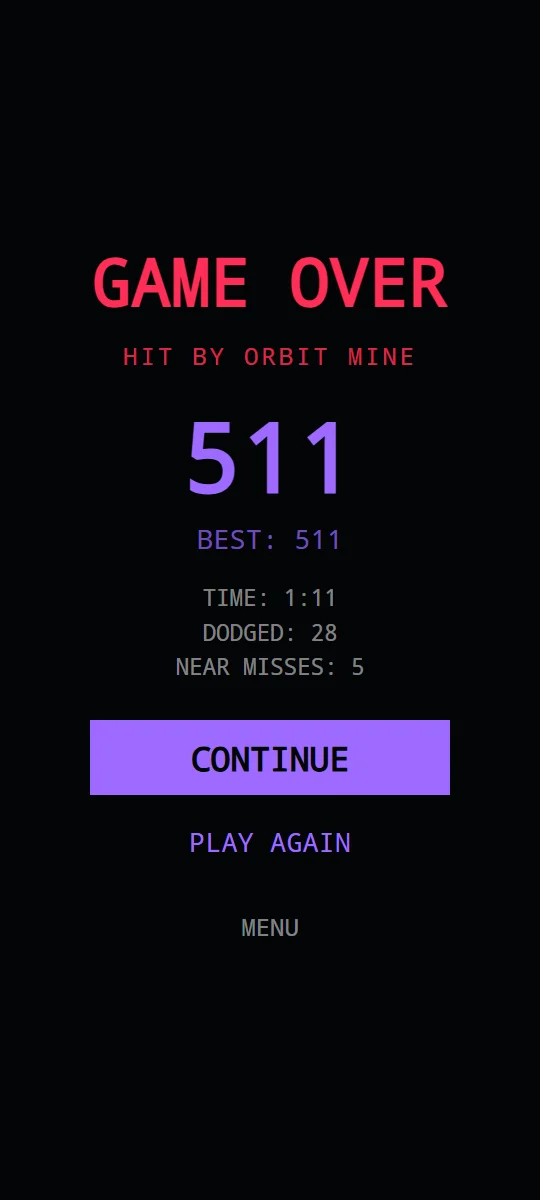
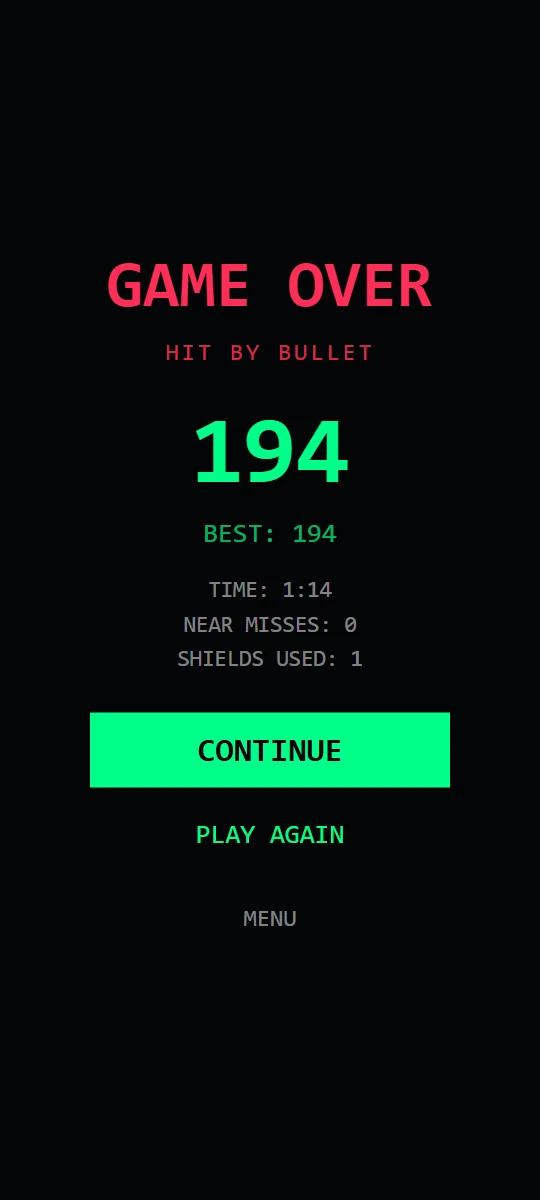
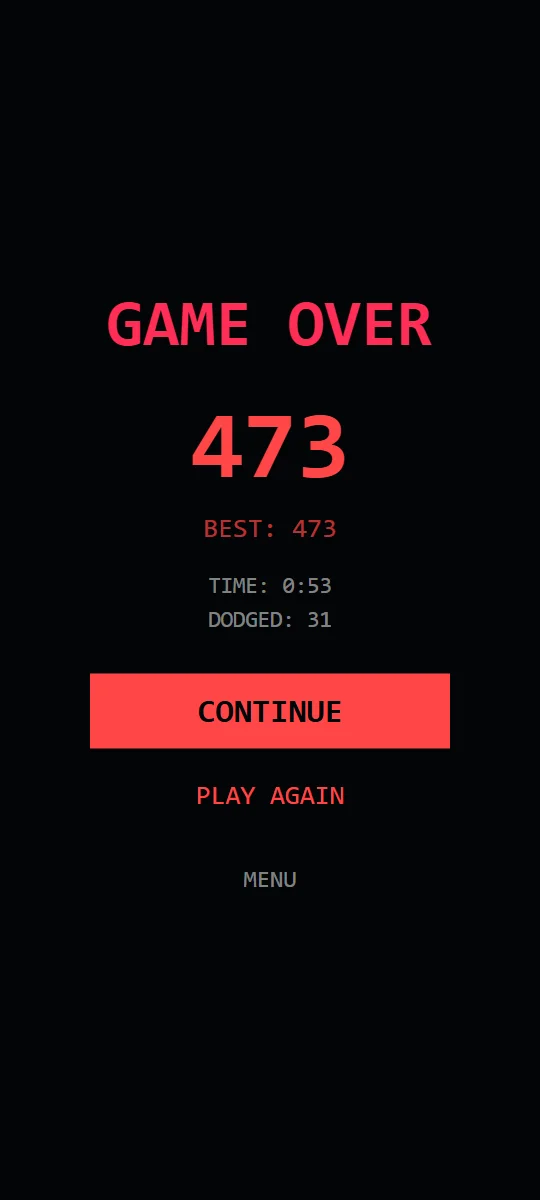
Recorded from the browser games.
The ticker that stood still
The strip of names that scrolls across the home page, just under the headline, got simpler: each game's name once, and "One mechanic, no BS." It used to name every game twice, mixed in with a handful of slogans.
It also stood still on my phone, while it scrolled fine on a laptop and an iPad. I went looking for a bug and fixed two things that can freeze a moving strip on a phone: the strip was very long (40 entries, about 11,000 pixels wide; it's now 8), and it paused when touched, which on a touch screen can leave it paused for good. It still stood still. The real cause was on the phone itself: Reduce animations was switched on in its settings.
Phones pass that setting on to the websites you visit, and this site listens to it. With it on, the ticker, the drifting grid and the floating threat symbols behind the headline all stay put, on purpose. So if something here that should move doesn't, that setting is the first thing to check. While I was at it, I slowed the ticker to half its old speed, so the names are easier to read as they go by.
New screenshots and videos
The screenshots and gameplay clips for ORBIT.IO, DODGE.IO and SPLIT.IO on the home page and in the guides were recorded from the Android apps, so they showed the old screens. They're now recorded from the browser games, one run per game from the menu to the game over, so what you see on the page is what you get when you press Play. The posts about the Android apps keep the Android footage.
More from the Devlog
Every browser game now offers one continue per run, each game has its own color, and the Daily Challenge is paused on the website. What changed and why.
ORBIT.IO, DODGE.IO and SPLIT.IO began as Android apps. Their browser versions are line-by-line ports. Here's what that took.
The design rule behind the whole catalog: one verb per game, and why constraint produces better arcade games than features do.